


Ever find yourself in a situation where you need to remember something but don’t want to rely on your brain’s questionable memory? Texting yourself on your iPhone might just be the quirky solution you never knew you needed. It’s like sending a little note to your future self, minus the risk of it getting lost in a drawer or eaten by the dog.
Whether you’re jotting down a grocery list or reminding yourself to take out the trash, texting yourself can be a lifesaver. Plus, it’s a great way to keep your thoughts organized without the clutter of sticky notes. So, let’s dive into the simple steps that’ll have you chatting with yourself in no time—because who says you can’t be your own best friend?
Understanding Texting Yourself on iPhone
Texting oneself on an iPhone offers a practical way to manage reminders and notes. This technique allows individuals to store information that’s easily retrievable later. Keeping text messages organized means avoiding physical clutter, such as sticky notes. Quick access to essential information makes texting oneself a convenient solution for staying organized.
Texting reminders creates a searchable history within the Messages app. With a simple message thread dedicated to oneself, finding important notes and reminders becomes straightforward. Notifications on the iPhone also ensure that messages prompt the user at the right time, even if the app is not open.
Creating reminders through text can prevent missed tasks. An example includes sending a message that reads, “Buy groceries after work.” Users benefit from visual reminders, which can enhance recall and productivity. By integrating this method into daily routines, individuals often experience increased efficiency.
Setting up this approach is user-friendly. Start by opening the Messages app and selecting the “compose” icon. Input the user’s own phone number or select their contact name. Then, type a message containing any thoughts, tasks, or reminders. They can send the text just like any other message.
Utilizing this text method proves effective for various scenarios. Classes, meetings, and appointments can all be efficiently noted. Messages sent can serve as reminders to reflect on important events or follow-ups, fostering better time management. Overall, texting oneself enhances accessibility and keeps essential tasks front of mind.
Setting Up Your iPhone for Self-Texting
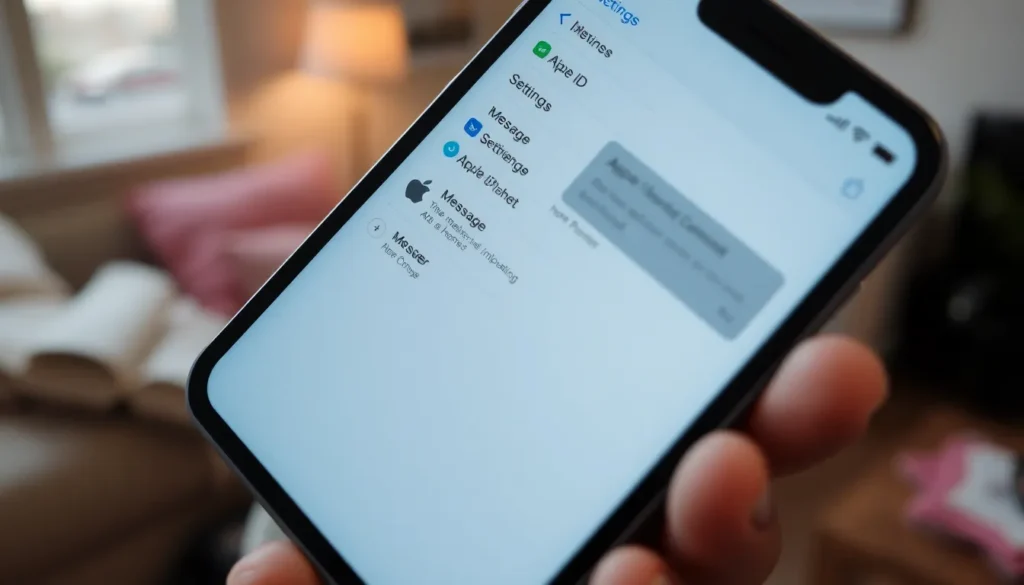
To effectively text yourself on your iPhone, make sure the device is properly set up. This involves verifying your Apple ID and enabling iMessage, crucial steps that ensure seamless communication with yourself.
Verifying Your Apple ID
Confirming your Apple ID is essential. Open the Settings app and tap on your name at the top. A verified Apple ID enables access to iCloud and iMessage features, essential for texting yourself. If you see “Sign In” instead of your name, follow the prompts to log in. Ensure that two-factor authentication is activated for added security. After verification, your Apple ID will reflect all associated services, making text management efficient and secure.
Enabling iMessage
Activating iMessage allows self-texting capabilities. Within Settings, scroll down and select Messages. Toggle the iMessage switch to turn it on. Once activated, your phone number and email will be linked for messaging. Check that Send as SMS is enabled for additional functionality when iMessage isn’t available. Completing this step ensures messages to yourself appear in blue bubbles and sync across devices effortlessly.
How to Start Texting Yourself
Texting oneself on an iPhone can enhance organization and memory. Several methods exist to simplify the process.
Using Messages App
The Messages app provides a straightforward interface for texting yourself. Open the app and create a new conversation by selecting your own contact. Enter your thoughts, reminders, or notes in the text field. Sending the text stores it in your chat history, making retrieval easy. Messages appear in blue bubbles, indicating successful iMessage delivery. Browsing through past messages allows quick access to important information whenever needed. Staying consistent with this method boosts organization.
Utilizing Siri
Utilizing Siri adds a convenient hands-free approach for texting yourself. Activate Siri by saying “Hey Siri” or pressing the side button. Command Siri with phrases like “Send a message to myself,” followed by your note. Siri will confirm the message and send it instantly. This method suits busy individuals looking for efficiency. Confirming the note through the Messages app helps ensure it’s stored for later. Siri integrates seamlessly with iMessage, making the process quick and effective.
Tips for Effective Self-Texting
Implementing effective self-texting techniques enhances personal organization and productivity. By following specific strategies, individuals can maximize the benefits of texting themselves on their iPhones.
Organizing Thoughts
Using self-texting for organizing thoughts keeps ideas readily accessible. Jotting down reflections or brainstorming ideas in the Messages app streamlines the process. Each message creates a record that users can easily reference. To enhance clarity, consider categorizing messages with keywords or tags. Keyword systems simplify searches later. Experimenting with different formats, such as bullet points or numbered lists, helps in structuring complex topics, making retrieval easier. Regularly reviewing and updating stored messages fosters mental organization. Maintaining this routine encourages continuous reflection and thought management.
Reminders and To-Do Lists
Creating reminders and to-do lists through self-texting provides a practical solution for busy individuals. Texting tasks directly to oneself ensures they remain top of mind. Specific deadlines within messages enhance accountability. Organizing tasks into separate messages for each project keeps responsibilities clear. For added focus, individuals can set priority levels in each text. Using emojis for visual representation of urgency simplifies recognition at a glance. Syncing messages across devices allows users to check tasks anytime, anywhere. Engaging with reminders helps ensure completion and promotes productivity. Regular updates keep lists relevant and manageable.
Common Issues and Troubleshooting
Users may encounter issues when texting themselves on their iPhones. Not receiving messages can be a common problem. Ensure that iMessage is enabled in the Settings app under Messages. If iMessage doesn’t activate, the Apple ID may require verification. Users must confirm their Apple ID through their device to resume self-texting.
Another frequent issue involves messages displaying in green bubbles instead of blue. This usually means that iMessage isn’t active. Checking network connectivity can resolve this issue, as Wi-Fi or cellular data is essential for iMessage functionality. Restarting the iPhone often resolves connectivity glitches.
Accessibility issues may arise as well. If users can’t find the Messages app, they should confirm its presence on the home screen. Users may also check if the app requires any updates through the App Store. If problems persist, deleting and reinstalling the app proves beneficial for troubleshooting.
Notifications may fail, resulting in missed messages. Users should confirm that notifications are enabled for the Messages app within the Settings. If silent mode is on, toggling the switch off can also restore notification functionality.
Siri not sending messages can lead to frustration. Users should ensure Siri is set up properly by navigating to Settings, selecting Siri & Search, and verifying all settings. Giving Siri permission to access Contacts is crucial for easy messaging.
Finally, maintaining a backup of messages can be beneficial. iCloud offers the option to automatically save conversations, allowing users to restore information as needed. By following these troubleshooting steps, users can enhance their self-texting experience seamlessly.
Texting oneself on an iPhone proves to be a smart and effective strategy for managing reminders and staying organized. By utilizing the Messages app and Siri, users can easily create a system that enhances productivity and keeps important tasks at the forefront.
This method not only minimizes clutter but also allows for quick access to vital information. With the ability to categorize messages and set priorities, individuals can tailor their self-texting experience to fit their unique needs.
As users incorporate this technique into their daily routines, they’ll likely find that their organization improves and their productivity soars. Embracing self-texting is a simple yet powerful way to take control of one’s time and tasks.